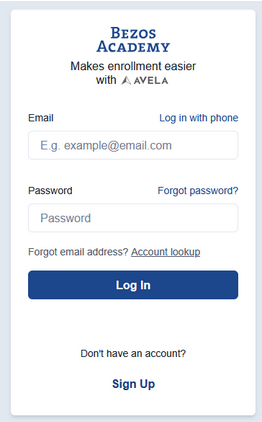
Step 2: Login with either the email address or phone number associated with your account.
If you do not remember which login method you used, see Step 2a.
If you do not remember your password, see Step 2b.
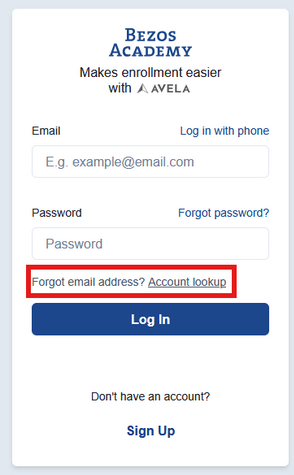
Step 2a: Click Account lookup and follow the prompted questions. To locate your account, you will need to provide your first name, last name, and home address.
If you are unable to locate your account information, reach out to [email protected].
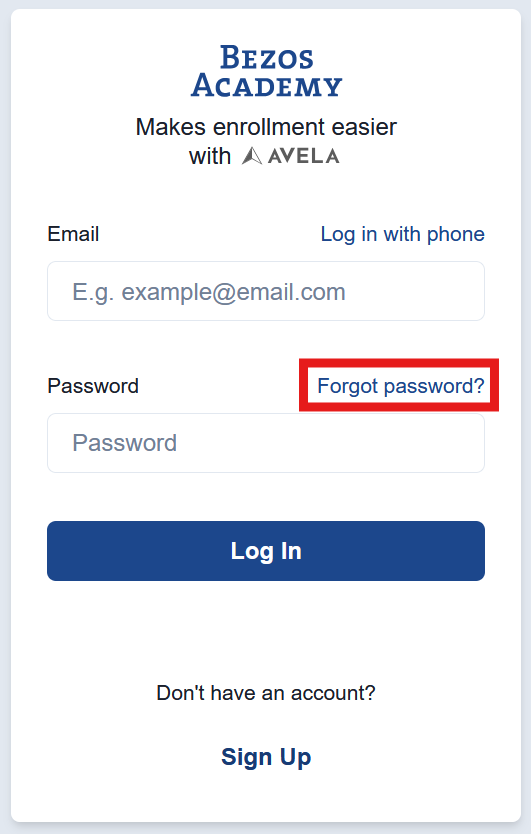
Step 2b: If you created an account using your email and need to reset your password, you can do so in a few simple steps.
Navigate to the login page. Above the password field, you will see a clickable Forgot password? link.
Enter the email you signed up with and click Continue.
You will receive an email with a link to reset your password. Once you have created a new password, you can return to the login page and log in using your email and updated password!
Tip: Check your spam or junk folder if you do not see the verification email.
Step 3: Once you have signed in, click on the Start form button found at the bottom of your homepage.
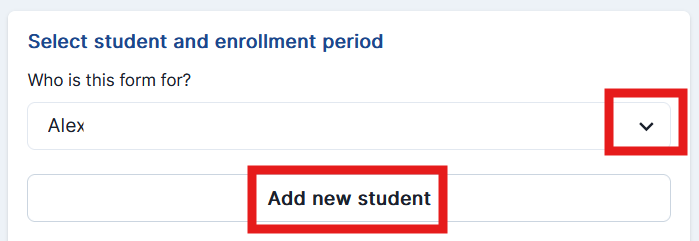
Step 4: If you have already created a student profile for your child, select their name from the drop-down menu. If you have not created a student profile, click Add new student.
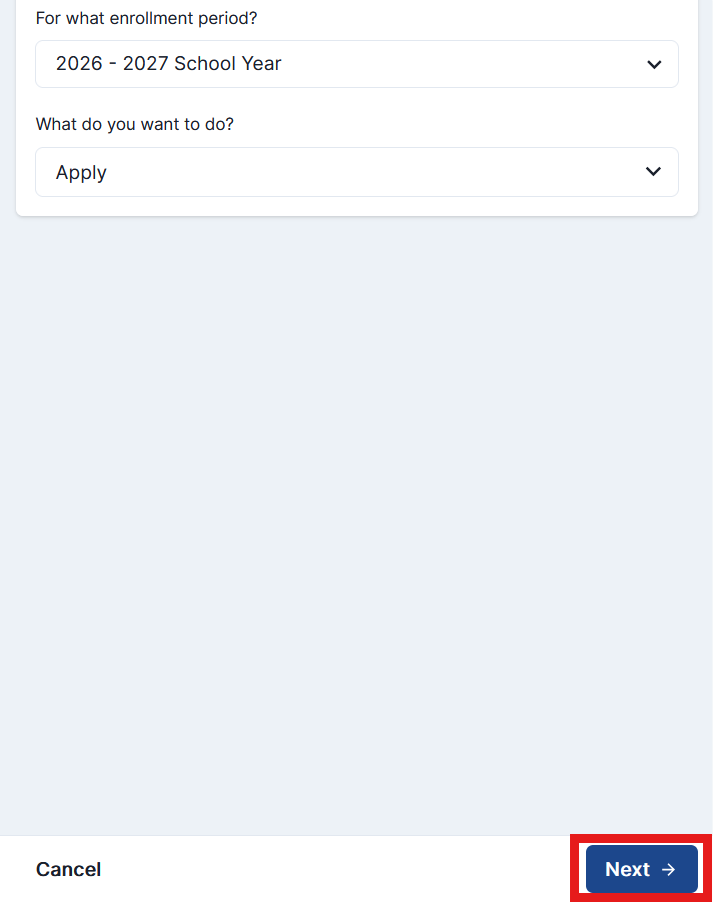
Step 5: Select the enrollment period and “Apply” form. Lastly, click Next to proceed to the application.
Eligibility and Application
Visit our eligibility and application page to learn more about enrollment.